Get App Store ReviewsGlobal Marketplace

Buy iOS App Store Reviews from Real Devices

Buy App Store reviews from $0.20. Real iPhone users download your app, use it, and write from their own Apple IDs. Target any country store; US Apple IDs up to $6.00.

From $0.20

Per Review Task

Up to $6.00

Country-Targeted

Real iOS

Devices Required

You Approve

Every Review

Pricing

App Store Reviews Pricing

App Store review tasks start at $0.20 — workers need a real iOS device and must download your app before reviewing. Reward scales with country store and account history; US reviews from aged Apple IDs cost the most.

Minimum Reward

$0.05

per completed task

Example Task Rewards

TaskExample Reward
Short review (1–3 sentences) from active Apple ID, any country store$0.20–$0.50
Detailed review (80+ words) after 10+ minute app usage session$0.50–$1.50
Review from aged Apple ID (12+ months, 10+ prior app reviews), UK or AU store$1.50–$3.00
Detailed review from US Apple ID with established app review history$3.00–$6.00

*These are examples, not fixed pricing tiers.

Calculate Your Cost

Estimate your budget by review count, country store, and account quality.

Example: 5,000 tasks × $0.08 reward = $400 estimated total

App Store Review Task

Calculator
Tasks5,000

Reward Per Task$0.08

Estimated Total5,000 × $0.08

$400
Create Task

Spread reviews over the launch week — 5 to 10 per week is safe for most apps. A listing that jumps from 8 reviews to 60 in 48 hours is an obvious signal to Apple's fraud detection.

How It Works

How to Buy App Store Reviews

Share your App Store listing URL and a brief, set your country store and account requirements, and real iPhone and iPad users download, use, and review your app from their own Apple IDs.

01

Write Your Brief

Paste your listing URL, describe what the app does, and set the star rating, minimum usage time, and account requirements.

02

iOS Users Download and Use Your App

Real iPhone and iPad users download from the country store you specified, use the app for the time you set, then review it.

03

Review the Content Before Paying

Each worker submits a screenshot of the live review plus the full text. Reject anything off-brief or from an account that misses your requirements.

04

Your Rating and Ranking Improve

Approved reviews raise your star rating and review count in that country store — both inputs to App Store keyword ranking.

Use Cases

When App Store Reviews Affect Downloads

App Store reviews feed keyword ranking, editorial consideration, and how much of your paid traffic converts. These are the moments when star rating and review count move revenue.

App Launch in 72 Hours

Problem
An app that goes live with 0 reviews enters the 72-hour ranking window with nothing while Apple's editorial team screens launch velocity for featured placement.
With RapidWorkers
Start tasks 3–5 days before launch so workers have the app installed, then cluster your approvals into the first 72 hours of public release.

Recovering After a Bad Version Update

Problem
The App Store shows current-version ratings by default — a buggy update that pulled 1-star reviews leaves the fixed version at 2.1 stars from 15 reviews for everyone browsing.
With RapidWorkers
Workers download and review the fixed version, briefed on what improved, so the current-version rating recovers without waiting for organic reviews.

Entering a New Country Store

Problem
App Store reviews are country-locked — a US app with 300 reviews at 4.8 stars shows 0 reviews in the UK or Australian store.
With RapidWorkers
Workers with Apple IDs registered to the target country store download and review there — the reviews appear only in that storefront.

Games Competing for Category Rankings

Problem
A mobile game with 12 reviews at 3.9 stars ranks below one with 200 at 4.5 in both search and category browse, whatever the gameplay is actually like.
With RapidWorkers
Workers play the game for the session length you set, then write about specific mechanics like progression or monetisation fairness — credible to players comparing listings.

Subscription Apps Converting Trial Users

Problem
A subscription app listing at 4.8 stars with 200 specific reviews converts more trials into paying subscribers than one at 3.9 with 30 vague ones — each subscriber worth $50–200.
With RapidWorkers
Brief workers to answer what a potential subscriber actually asks: is the premium tier worth paying for, does the sync work, how does it compare to what they already use.

Apple Search Ads and Paid Acquisition

Problem
A listing at 3.7 stars from 18 reviews raises your effective cost per install on every Apple Search Ads keyword, because conversion rate is what you are paying for.
With RapidWorkers
Build the review count and rating before the campaign starts, so paid traffic lands on a listing that converts and you can bid harder on high-value keywords.

Apple Requires a Real Download From a Real Apple ID

What Makes an App Store Review Survive

RapidWorkers workers are real iPhone and iPad users with genuine Apple IDs and review histories across other apps. They download your app to their own device, use it for the time you set, and write from that session — the engagement pattern Apple expects from a real user.

AspectRapidWorkersTypical App Store Review Service
Device requirementReal iPhones and iPads, with Apple IDs on the target country storeEmulators or bulk Apple IDs behind device spoofing
Usage before reviewWorkers use the app for the time you specifyDownload and immediate review, with no usage session
Country targetingReviews land in the US, UK, AU, or CA store you chooseMixed-country accounts that may never reach your target store
Control before paymentScreenshot and full text submitted before you release fundsPayment upfront, with no review-by-review approval
Price per reviewFrom $0.20 per task, priced by country and account quality$50–200 upfront for packages of 10–50 reviews
Your Guarantee: You Read the Review Before It Counts

You Approve the Review and Verify the Download Before Paying

Workers download your app to their own iOS device, use it, write a review from their own Apple ID, and submit a screenshot of it live on your listing plus the full text. You read every one before paying.

  • Verify the review is live

    The screenshot shows it published on your App Store listing

  • Check the reviewer's Apple ID

    Require minimum prior reviews, account age, and country store

  • Reject anything off-brief

    Wrong star rating or a thin account costs you nothing

190+ Countries

Buy App Store Reviews in Any Country Store

Workers from 190+ countries write reviews from Apple IDs registered to their local storefront — reviews land in the specific country store you target.
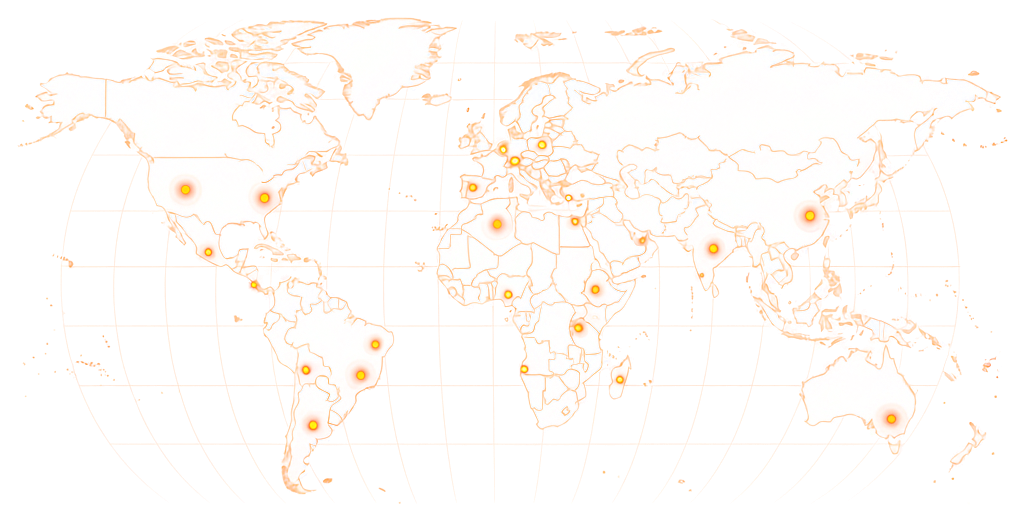
World map showing RapidWorkers coverage across 190+ countries

Available in 190+ countries — choose your audience when you create your task.

Example Task

What Does an App Store Review Task Look Like?

rapidworkers.io/dashboard/job/app-store-review-habit-tracker

Dashboard / Write App Store Review

Write App Store Review — Habit Tracker App

Pay Rate

$3.50

Time to Complete

25 min

Availability

4 / 15

Status

Active

Job Description

Download the habit tracker from the US App Store. Use it for 15+ minutes, then write a specific 80+ word, 5-star review from a US Apple ID with 5+ prior reviews.

Reference

Screenshot of the review posted on the US App Store listing

Submission Instructions

Screenshot of your review live on the US App Store listing with your Apple ID username visible.

Full review text pasted into the submission form.

Complete Job

This is how workers see your task on RapidWorkers

Job Description

Download the linked app from the US App Store on your own iOS device. It is a habit tracker — use it for at least 15 minutes: set up two or three habits and open the progress screen.

Write a 5-star review mentioning something specific: the streak tracking, the setup flow, or how it compares to other habit apps. US Apple ID with 5+ prior reviews required. Post from the device you used.


Submission Instructions

Step 1: Download the app from the US App Store on your own iOS device and use it for at least 15 minutes.

Step 2: Post your 5-star review from your Apple ID.

Step 3: Screenshot the live review with your Apple ID username visible, then paste the full text into the form.

Create Your Task
Got Questions?

Frequently Asked Questions

Yes. You post a task, real iPhone and iPad users download your app to their own device, use it, and write a review from their own Apple ID. Each submits a screenshot plus the full text for your approval. Reviews are country-specific.

Both exist. Apple requires that the reviewer downloaded the app from the same Apple ID posting the review, which ties reviews to real users more tightly than most platforms. But buying reviews is common in games, finance, and VPN apps, and Apple has improved at spotting the patterns: a review posted minutes after download, identical timing across accounts, unusual device fingerprints.

Two different questions. Apple review of a submitted app or update usually takes 24–48 hours. User reviews on a published app generally appear within minutes to a few hours. On RapidWorkers, workers submit a screenshot of the live review so you can confirm it appeared before you pay.

Three reasons. Workers need a real iPhone or iPad, since the App Store is iOS only. They must download your app before Apple lets them review it. And reviews are country-segregated, so US Apple IDs with prior review history are scarce — which is why the top tier runs $3.00–$6.00.

Yes. Star rating and review count are inputs to App Store Search ranking, and the effect is largest on competitive keywords. Velocity matters too: 20+ reviews in the first 72 hours of a launch can shift initial keyword position and editorial consideration.

Yes, more than on any other review platform. A review from a US Apple ID appears only in the US App Store; a UK Apple ID posts only to the UK store. A US app with 200 reviews at 4.7 stars can show zero to a UK shopper.

Yes, through automated detection and periodic audits. The reviews most likely to go: posted minutes after download with no usage, from Apple IDs with no prior review history in that country store, or from accounts flagged for unusual device patterns.

Specify the country store in your task — US, UK, AU, CA, or another region. Workers must have an Apple ID registered there and must download from that store. US-targeted reviews pay the most because those Apple IDs are hardest to source. Run one task per country.

Three moments matter most: the first 72 hours after launch, when velocity feeds keyword ranking; right after a major version update, since the App Store shows current-version ratings by default; and before a paid acquisition campaign, so ad traffic lands on a listing that converts.

A clear brief produces specific reviews instead of generic star ratings. Include:

1. Your App Store listing URL, with the country store you need. 2. What to highlight — key features, the screens that matter, the type of user the review should represent. 3. The star rating you want. 4. Minimum usage time before reviewing — 10 minutes produces more specific reviews and a session that looks genuine. 5. Account requirements — prior app reviews, account age, country store. 6. What to avoid — competitor names, version numbers, and pricing that will change.

Ready to Build Your App Store Rating?

Share your listing URL, set your country store and account requirements, and let real iPhone and iPad users download, use, and review your app — you read every review before paying.

  • No subscription
  • Cancel anytime
  • 24/7 availability
  • Dispute resolution
