Get LinkedIn Post LikesGlobal Marketplace

Buy LinkedIn Likes from Real, Verified Professionals

Real workers react to your LinkedIn post from their own professional accounts. Paste your post URL, set your requirements, and review every submission before you pay.

500+

New Workers Daily

10,000+

Tasks Completed Each Month

From $0.05

Per Like Task

24/7

Global Marketplace

Choose Your Likers' Countries

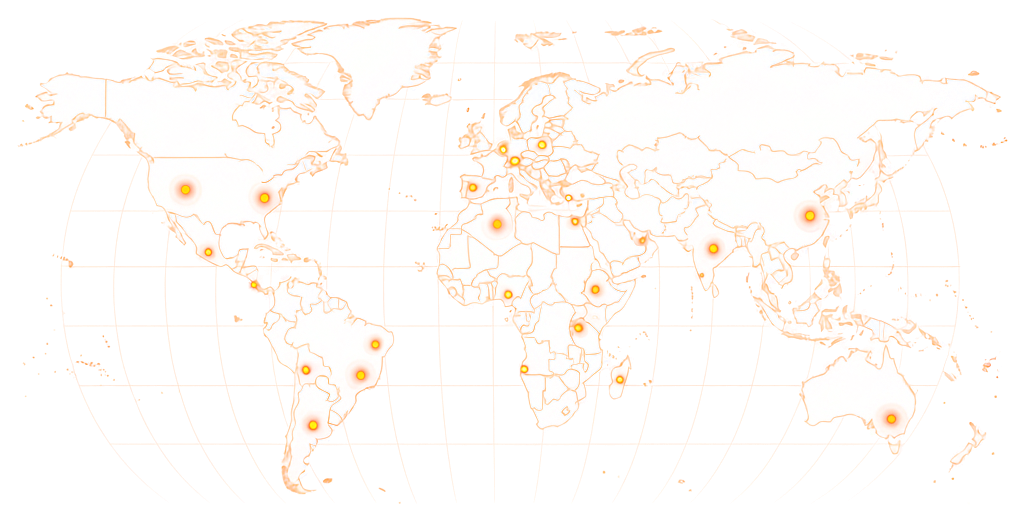
Buy LinkedIn Likes From 190+ Countries

Target reactions from the professional audiences that matter — US, UK, India, or any of 190+ countries. Workers outside your target region skip your task automatically.

World map showing RapidWorkers coverage across 190+ countries

Available in 190+ countries — choose your audience when you create your task.

Pricing

LinkedIn Likes Pricing

The minimum reward for a LinkedIn post like task is $0.05 per completed task. Tasks that require a screenshot, a specific reaction type, likers from a particular country, or workers whose profiles match a professional industry typically reward $0.07–$0.10.

Minimum Reward

$0.05

per completed task

Example Task Rewards

TaskExample Reward
Like a LinkedIn post (standard reaction)$0.05
Like with screenshot proof$0.06–$0.07
Like from a specific country$0.07–$0.09
Like + comment on the post$0.09–$0.10

*These are examples, not fixed pricing tiers.

Calculate Your Cost

Estimate your total budget based on the number of likes and reward per task.

Example: 5,000 tasks × $0.08 reward = $400 estimated total

LinkedIn Post Like Task

Calculator
Tasks5,000

Reward Per Task$0.08

Estimated Total5,000 × $0.08

$400
Create Task

LinkedIn shows the names of people who reacted to your post — anyone can click the reaction count and see who liked it. Workers react from their own real profiles, so the visible reactors are genuine LinkedIn accounts with employment history, not empty placeholder profiles.

How It Works

How to Buy LinkedIn Likes

Post your like task, set your requirements, and real workers react to your LinkedIn post from their own professional accounts.

01

Post Your Task

Add your LinkedIn post URL, write your requirements — reaction type, country, profile completeness — set the reward per like, and choose how many you need. Your task goes live immediately.

02

Workers Find and React

Workers on RapidWorkers open your task, navigate to your LinkedIn post, and react to it from their own accounts. Each worker completes the task once.

03

You Review Each Submission

Check each submission against your instructions. Approve what meets them, reject what doesn't — you pay nothing for rejected submissions.

04

Campaign Complete

Once you've approved your target number of reactions, the task closes. Your post shows the accumulated engagement from real professional accounts.

Use Cases

When Does Buying LinkedIn Likes Actually Make Sense?

LinkedIn's algorithm distributes posts based on early engagement velocity. These are the situations where seeding initial likes changes whether a post stays in the immediate network or reaches a much larger professional audience.

Triggering LinkedIn Algorithm Distribution

Problem
LinkedIn's feed algorithm uses engagement velocity in the first 1–2 hours to decide whether to push a post beyond the author's first-degree network. A post that gets 3 likes in the first hour stays in the immediate network. One that gets 40 likes gets shown to second-degree connections.
With RapidWorkers
Workers like the post within hours of publishing, generating the early velocity that signals to LinkedIn the content is resonating — which triggers wider organic distribution that can multiply the total reach by 5–10x.

Thought Leadership Post Before a Speaking Slot

Problem
A speaker sharing a post about their topic before a keynote or panel wants that post to look like it resonated. A post with 6 likes published the day before a conference appearance undermines the 'industry expert' positioning.
With RapidWorkers
Workers like the post to a credible count before the event, ensuring that when the audience looks up the speaker on LinkedIn after seeing them present, the post reflects the reception it deserved.

Funding or Milestone Announcement

Problem
A funding round, product launch, or major hire announcement posted on LinkedIn with 15 likes signals low network engagement — which investors, partners, and job candidates notice when they research the company.
With RapidWorkers
Workers like the announcement post, giving it the reaction count that matches the scale of the news being shared — making the post look like it landed with the professional network the way a genuine milestone should.

Agency Delivering LinkedIn Content for a Client

Problem
Agencies managing LinkedIn for clients are often measured on post engagement metrics. A month where posts average 8 likes is hard to defend in a QBR — especially when the client's competitors have posts consistently hitting 100+.
With RapidWorkers
Workers bring post engagement to a credible baseline, giving the agency's content the visible traction that lets the client report look like the LinkedIn investment is producing results.

Recruiter Post Attracting Passive Candidates

Problem
A job post or employer brand post with few likes signals low interest — passive candidates seeing a recruiter's post with 4 likes assume the role is niche or the company isn't known. The post doesn't get shared.
With RapidWorkers
A credible like count on a recruiter post increases its perceived social validation, making passive candidates more likely to read it, engage, and share it to their own networks where more candidates see it.

LinkedIn Article or Newsletter Issue

Problem
LinkedIn articles and newsletter issues display a reaction count publicly. A newsletter with 12 likes on its most recent issue signals a small, unengaged subscriber base — which suppresses new subscriptions from people comparing it to competing newsletters in the same niche.
With RapidWorkers
Workers react to the article or newsletter issue, raising the visible engagement count to a level that signals the content is being read and responded to — which improves subscription conversion for readers evaluating whether to subscribe.

LinkedIn Shows Who Liked Your Post. Make Sure It Looks Right.

Reactions From Real Professional Profiles — Not Empty Accounts

LinkedIn is transparent about reactions: anyone can click the reaction count on your post and see every person who liked it, with their name, job title, and employer. Likes from blank profiles with no employment history or connections signal immediately that something is off.

RapidWorkers workers react to your post from their own active LinkedIn accounts — profiles with real employment history, connections, and professional activity. The reactions that appear on your post come from accounts that look like industry peers reacted organically.

You can specify requirements: workers from a specific country, profiles in a matching industry, or accounts with a minimum connection count. Workers who don't meet your criteria skip the task — only qualifying accounts complete it.

AspectRapidWorkersTypical LinkedIn Likes Service
Account sourceRegistered workers using their own active LinkedIn profilesSMM panel accounts — scraped profiles with no employment history
Visible reactor qualityReal profiles with job titles and connections — credible when clickedBlank or minimal profiles that look automated to anyone who checks
Proof of completionScreenshot showing reaction with worker profile visible — you approve before payingProvider confirms count — no visibility into who actually reacted
Account quality controlYou specify country, industry, and profile requirementsProvider controls account selection — you have no input
What you pay forOnly approved reactions from verified real accountsThe full count upfront, regardless of profile quality
Your Guarantee: You Only Pay for What You Approve

No Refunds Needed — You Approve Before You Pay

Every submission goes through you first. Workers like your LinkedIn post and submit proof according to your instructions — you review each one and decide what counts. If a submission uses an account that doesn't meet your requirements, reject it. You pay nothing for submissions you didn't approve.

  • You review every submission

    Approve or reject based on your own rules

  • Pay only for approved work

    Rejected submissions cost you nothing

  • Dispute resolution available

    For edge cases where a worker disagrees with a rejection

Example Task

What Does a LinkedIn Post Like Task Look Like?

rapidworkers.io/dashboard/job/linkedin-like-example

Dashboard / Like LinkedIn Post

Like LinkedIn Post — SaaS Executive Thought Leadership

Pay Rate

$0.07

Time to Complete

2 min

Availability

121 / 300

Status

Active

Job Description

React to the LinkedIn post with a Like (thumbs up). Your profile must have a photo and at least one position listed. Screenshot showing the reaction and your profile nav visible.

Reference

Screenshot confirming LinkedIn reaction

Submission Instructions

Screenshot showing the post reaction count updated with your LinkedIn profile visible in navigation.

Complete Job

This is how workers see your task on RapidWorkers

Job Description

Navigate to the LinkedIn post linked in this task — a thought leadership article from an executive in the SaaS industry. React to the post using the Like reaction (thumbs up) from your own LinkedIn account.

Your LinkedIn profile must have a profile photo, at least one current or past position listed, and at least 10 connections. Do not use a newly created profile. One reaction per worker — do not complete if you have already reacted to this post.

Take a screenshot immediately after reacting, showing the post, the reaction count updated, and your LinkedIn profile photo or name visible in the top navigation bar.


Submission Instructions

Step 1: Navigate to the LinkedIn post using the link in the task.

Step 2: React to the post using the Like reaction from your own account.

Step 3: Screenshot showing the updated reaction count and your profile visible.

Step 4: Submit the screenshot for review.

Create Your Task
Got Questions?

Frequently Asked Questions

No. Workers react to your post from their own LinkedIn accounts. All you provide is the public URL of your LinkedIn post — your login credentials are never requested.

LinkedIn offers several reaction types: Like (thumbs up), Celebrate, Support, Funny, Love, Insightful, and Curious. By default, workers will use the standard Like reaction. If you want a specific reaction type — for example, Insightful for a data-heavy post, or Celebrate for a milestone — specify it in your task instructions.

Yes. Every reaction comes from a real person using their own active LinkedIn profile — an account with a name, job title, employment history, and genuine connections. Not SMM panel accounts, not blank profiles, not bots.

Reactions from real accounts with genuine profile activity are significantly less likely to be flagged than reactions from automation tools or panel services. LinkedIn's systems target patterns from suspicious accounts — not real users completing marketplace tasks. However, platform-side moderation is outside RapidWorkers' control.

The minimum reward is $0.05 per completed task.

For example:

50 likes — $2.50–$3.50 100 likes — $5–$7 500 likes — $25–$35 1,000 likes — $50–$70

You pay per approved submission — no packages, no upfront commitments.

Context matters: a personal post from an individual with 500 followers getting 20–50 likes is strong. A company page post reaching 100+ likes is notable. For thought leaders with large followings, 200–500+ likes on a post signals content that resonated. The more important metric is whether the early like velocity (likes within the first 1–2 hours) was enough to trigger LinkedIn's wider distribution.

Yes, indirectly. LinkedIn's feed algorithm measures early engagement velocity — posts that gather reactions quickly within the first hour or two get distributed to more second-degree connections. Seeding initial likes increases that early velocity, which can trigger organic distribution that multiplies the total reach significantly beyond the paid likes.

Yes. LinkedIn shows the names of everyone who reacted to a post — anyone can click the reaction count and see the full list with each reactor's name and job title. This is why account quality matters: workers react from their own real profiles with employment history, so the visible reactors look like genuine professional engagement.

Yes. Add requirements to your task instructions — for example, 'Liker profile must show a location in the United States' or 'Profile should list a role in marketing, HR, or technology.' Workers who don't match will skip the task. Stricter targeting narrows the worker pool and typically requires a higher reward.

Yes. LinkedIn articles and newsletter issues have their own URLs and reaction counts, the same as regular posts. Paste the article or newsletter URL in your task instead of a post URL and workers will react to it from their own accounts.

Tasks go live immediately and workers start completing them within minutes. A straightforward $0.05–$0.07 like task with no restrictions typically fills within hours. Tasks with country or profile requirements take longer — a slightly higher reward speeds up completion significantly.

Yes. Many LinkedIn campaigns combine a like task with a separate comment task on the same post, or run a follower task on the profile alongside the post engagement. Running likes and comments together produces the multi-signal engagement that gives LinkedIn's algorithm the strongest reason to distribute the post further.

Ready to Buy LinkedIn Likes?

Post your like task, paste your LinkedIn post URL, set your reward, and let real workers react from their own professional accounts — you approve every submission before paying.

  • No subscription
  • Cancel anytime
  • 24/7 availability
  • Dispute resolution