Boost LinkedIn PostGlobal Marketplace

Boost Your LinkedIn Post From $0.05

Buy LinkedIn post engagement starting at $0.05. Real workers react, comment, and share from their own professional accounts — no ad account, no 'Promoted' label. Pay only for what you approve.

From $0.05

Per Action

Reactions,

Comments & Shares

500+

New Workers Daily

190+

Countries

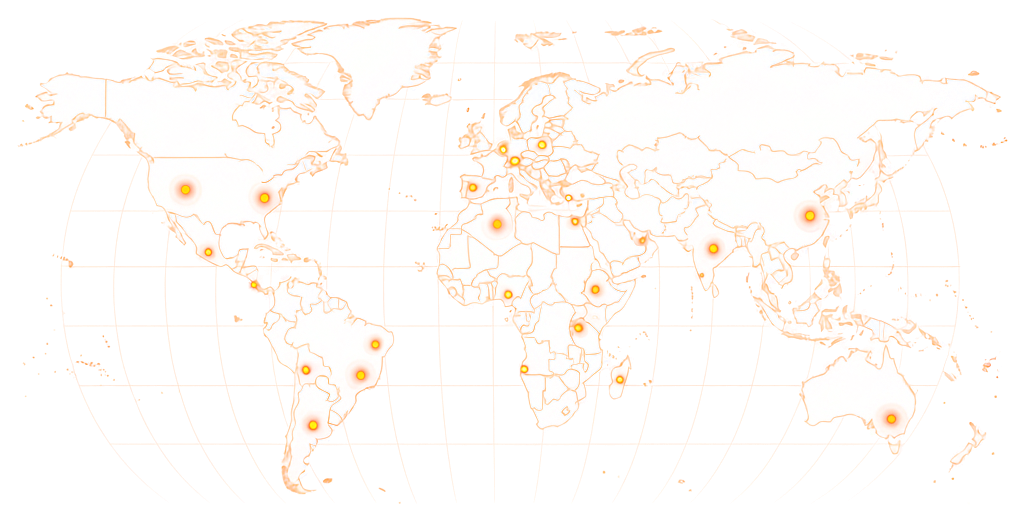
Target Engagement From Specific Countries

Boost Your Post With Engagement From 190+ Countries

Specify which countries workers should engage from — useful if your post targets a specific professional market. Workers outside your target region skip the task automatically.

World map showing RapidWorkers coverage across 190+ countries

Available in 190+ countries — choose your audience when you create your task.

Pricing

Boost LinkedIn Post — Pricing

Post separate tasks for each type of engagement. Run all three on the same post simultaneously to boost multiple signals at once. Comments carry the highest algorithmic weight on LinkedIn — seeding them alongside reactions and shares gives the post the strongest distribution signal.

Minimum Reward

$0.05

per completed task

Example Task Rewards

TaskExample Reward
React to the LinkedIn post (like)$0.05–$0.07
Share (repost) the LinkedIn post$0.06–$0.08
Comment on the LinkedIn post$0.07–$0.10

*These are examples, not fixed pricing tiers.

Calculate Your Cost

Estimate your total cost based on action count and reward per task.

Example: 5,000 tasks × $0.08 reward = $400 estimated total

Boost LinkedIn Post Pricing

Calculator
Tasks5,000

Reward Per Task$0.08

Estimated Total5,000 × $0.08

$400
Create Task

LinkedIn shows the full list of who reacted, shared, and commented on your post — anyone can see the names and profiles. Run engagement gradually and keep ratios proportional: a post with 200 reactions and zero comments looks unnatural. Mix engagement types to match an organic pattern.

How It Works

How to Boost a LinkedIn Post

Post your LinkedIn post URL, choose what type of engagement you want, set your reward, and real workers engage from their own professional accounts.

01

Choose Your Engagement Mix

Decide what to boost — reactions, comments, shares, or all three. Post a separate task for each type. Include any country or profile requirements and set your reward per action.

02

Workers Engage Your Post

Workers open your LinkedIn post and complete the action — react, comment, or share — from their own professional accounts. No shared devices, no automation. Each action comes from a unique, real user with their own professional history.

03

Review Screenshot Proof

Each worker submits a screenshot showing the action on your post with their LinkedIn profile visible. You review it before approving — reject anything that doesn't meet your requirements.

04

Engagement Goes Live

Actions are live before proof is submitted — workers engaged your post, then took the screenshot. Your post's engagement metrics update in real time as tasks are completed.

Use Cases

When Does Boosting a LinkedIn Post Actually Make Sense?

Multi-signal engagement — reactions, comments, and shares — gives LinkedIn's algorithm the strongest reason to distribute a post beyond the author's immediate network. These are the situations where all three signals matter at once.

Post That Needs Full Engagement to Trigger Distribution

Problem
A post that only gets reactions — but no comments and no shares — gets a weaker distribution signal from LinkedIn's algorithm. Comments carry the highest weight, shares second, reactions third. A post with 50 likes and zero comments looks like content that landed passively, not content that sparked discussion.
With RapidWorkers
Workers engage across all three types — reactions, comments, and shares — creating the multi-signal engagement pattern that tells LinkedIn the post generated genuine professional conversation and deserves wider distribution.

Personal Post That Cannot Use LinkedIn Boost

Problem
LinkedIn's native Boost button is only available for company page posts and requires a Campaign Manager account with an ad budget. Personal profile posts — which often drive more authentic engagement than company content — have no paid boost option within LinkedIn's own tools.
With RapidWorkers
Workers react, comment, and share the personal post from their own professional accounts, giving it the early engagement velocity that triggers organic algorithm distribution — without requiring LinkedIn Ads, a Campaign Manager account, or a minimum ad spend.

Thought Leadership Post Before an Industry Event

Problem
A speaker or panellist sharing a post before a keynote wants it to look like it resonated — not like it got 4 reactions from immediate colleagues and stopped. A post with minimal engagement published the day before a speaking slot undermines the expert positioning.
With RapidWorkers
Workers react and comment on the post before the event, creating the visible engagement profile that makes the content look like it landed with the broader professional community — so the audience who looks the speaker up on LinkedIn sees a post that reflects their credibility.

Company Announcement That Needs to Look Like It Landed

Problem
A funding round, product launch, or major hire posted on a company page with 8 reactions and 1 comment signals that the announcement did not land with the professional audience. Investors, partners, and recruits research companies after first contact — a weak engagement count on a milestone announcement creates doubt.
With RapidWorkers
Workers react, comment, and share the announcement post, giving it the multi-signal engagement that a genuine milestone deserves and that matches the scale of the news being shared.

Agency Client Post With Engagement Deliverables

Problem
Agencies managing LinkedIn for clients are measured on post engagement metrics. A monthly report showing posts average 6 reactions and 0 comments is hard to defend — especially when the client's competitors show consistent discussion threads under their content.
With RapidWorkers
Workers bring post engagement across all three signal types to a credible baseline, giving the agency's content the visible traction that lets the performance report reflect the LinkedIn investment.

Reactivating a Dormant LinkedIn Profile or Page

Problem
A profile or page that has been inactive for months has its distribution expectations reset. LinkedIn's algorithm deprioritises accounts with low recent engagement history — when they resume posting, content reaches a smaller initial audience because the recent signal is weak.
With RapidWorkers
Workers engage with a few key posts after a period of inactivity, normalising the engagement pattern and signalling to LinkedIn that the account has an active professional audience — which restores distribution to a wider network.

LinkedIn Shows Every Reaction, Comment, and Share. Make Sure They Look Right.

Engagement From Real Professional Profiles

LinkedIn is transparent about engagement: anyone can click the reaction count and see a full list of who responded, with each person's name, job title, and employer. A post boosted through panel services ends up with blank profiles, stock photo accounts, or profiles with no employment history in the visible engagement list — which signals immediately to anyone who looks.

RapidWorkers workers engage from their own active LinkedIn accounts — profiles with real employment history, connections, and professional activity. The reactions, comments, and shares that appear on your post come from accounts that look like genuine industry peers, because they are.

You can require workers from specific countries, industries, or with profiles meeting a minimum connection count. Workers who don't match skip the task — only qualifying accounts complete it.

Pay Per Action. Only for What You Approve.

No Campaign Manager Required. No Minimum Budget.

LinkedIn's native Boost button requires a Campaign Manager account, a minimum daily ad spend, and only works on company page posts — it shows your post as 'Promoted' advertising. RapidWorkers works differently: you pay per engagement action from real workers, only for what you approve, starting from a single reaction. No ad account, no minimum spend, no 'Promoted' label, and it works on personal profile posts too.

  • Screenshot proof before payment

    Worker's engagement and LinkedIn profile visible in the screenshot before you approve

  • No upfront commitment

    Set any number of action slots — stop whenever you reach your target

  • Run multiple engagement types simultaneously

    Post separate tasks for reactions, shares, and comments at the same time

Example Task

What Does a LinkedIn Post Boost Task Look Like?

rapidworkers.io/dashboard/job/boost-linkedin-post-example

Dashboard / Boost LinkedIn Post

React to LinkedIn Post — B2B Founder Thought Leadership

Pay Rate

$0.07

Time

2 min

Availability

143 / 300

Status

Active

Job Description

React to the LinkedIn post with a Like from your own account. Profile must have a photo and at least one position listed. Screenshot showing the reaction count updated and your profile nav visible.

Submission Instructions

Screenshot of the LinkedIn post showing the reaction with your profile name visible in navigation.

Complete Job

This is how workers see your task on RapidWorkers

Job Description

Navigate to the LinkedIn post linked in this task — a thought leadership article from a B2B founder about growing a distributed team.

React to the post using the Like reaction from your own LinkedIn account. Your profile must have a profile photo, at least one current or past position listed, and at least 10 connections. Do not use a newly created profile.

Take a screenshot immediately after reacting, showing the post, the updated reaction count, and your LinkedIn profile name or photo visible in the top navigation bar.


Submission Instructions

Step 1: Navigate to the LinkedIn post using the link in the task.

Step 2: React to the post from your own account.

Step 3: Screenshot showing the action completed and your LinkedIn profile visible.

Step 4: Submit the screenshot for review.

Create Your Task
Got Questions?

Frequently Asked Questions

No. LinkedIn's native Boost feature is paid advertising — your post gets shown to cold audiences through LinkedIn's ad network and is labelled as 'Promoted.' It requires a minimum ad spend and is only available for company page posts, not personal profile posts. RapidWorkers is different: real workers react, comment, and share your post from their own accounts. The engagement shows up as organic activity — no 'Promoted' label, no ad spend, and it works on personal posts too.

Reactions (likes), comments, and shares — each as a separate task. You set the reward and quantity for each. You can run all three simultaneously on the same post to boost multiple engagement signals at once. Comments carry the highest algorithmic weight on LinkedIn, followed by shares, then reactions.

Yes. LinkedIn's native Boost button is only available to company pages with a Campaign Manager account and ad spend. RapidWorkers works for both personal posts and company page posts — workers only need a public link to your post, regardless of whether it comes from a personal profile or a company page.

Reactions start at $0.05 each. Shares start at $0.05–$0.07. Comments start at $0.07–$0.10 depending on length and requirements. You set the number of actions you want — there are no packages or minimums. Total cost equals reward × number of approved actions.

Workers start accepting tasks within minutes of posting. Most campaigns complete within 1–6 hours at standard reward rates. Comments take longer than reactions because they require more effort — a slightly higher reward speeds up completion significantly.

Yes. LinkedIn's algorithm distributes posts based on early engagement velocity — reactions, comments, and shares received in the first 1–2 hours after posting. A post that accumulates multi-signal engagement quickly gets pushed to second-degree connections and beyond. Seeding this initial engagement can trigger organic distribution that multiplies total reach significantly.

No. Workers only need a link to your LinkedIn post. Your login credentials are never requested.

It is real. Workers are genuine LinkedIn users engaging from their own active professional accounts — with names, job titles, employment histories, and connections visible to anyone who looks. LinkedIn shows the full list of people who reacted, commented, or shared your post — those are real profiles with real professional histories.

Yes. Add requirements to your task — for example, workers based in the US or UK, or profiles listing a role in marketing or technology. Workers who do not match skip the task. Stricter targeting narrows the worker pool and typically requires a higher reward per action.

No. Set as few task slots as you want — even 10 reactions on one post. You're charged only for actions you approve.

No. LinkedIn's Campaign Manager requirement applies to the native paid Boost ad feature, which routes your post through LinkedIn's advertising network. RapidWorkers operates entirely outside of LinkedIn's ad system — workers engage with your post directly from their own accounts, with no Campaign Manager, no minimum budget, and no ad account required.

LinkedIn Ads and Sponsored Content push your post to a cold audience through LinkedIn's ad network at a CPC or CPM rate — typically $5–$15+ per click. The post is labelled 'Promoted' and recipients know it is advertising. RapidWorkers workers engage with your post from their own accounts as organic activity — it shows as genuine professional engagement, not as a paid placement, and costs a fraction of LinkedIn's ad rates.

Ready to Boost Your LinkedIn Post?

Post your task and real workers react, comment, or share from their own professional accounts — screenshot proof before you pay, no minimum spend, works on personal posts too.

  • No subscription
  • Cancel anytime
  • 24/7 availability
  • Dispute resolution