$0.05
per completed task


Buy Discord messages starting at $0.05. Real workers join your server and send messages in your specified channels from their own accounts — no bots, no automation. Review screenshot proof before you pay.
500+
New Workers Daily
10,000+
Tasks Completed Each Month
From $0.05
Per Message Task
24/7
Global Marketplace
When you post a message task you choose how it works: supply the exact message you want sent, and workers send it verbatim from their own accounts — or describe what you need, and workers write original text following your brief. Both options are available on every task.
You write the exact message in your task instructions. Workers copy it and send it verbatim from their own real accounts. Useful when you need a specific message delivered with precise wording — a talking point, a product question, a specific reaction — repeated across multiple genuine profiles.
Join the Discord server using the invite link in this task. Navigate to the #general channel and post this exact message from your own Discord account: "This is exactly what I was looking for — really glad I found this community." Screenshot the message in the channel with your Discord username visible.
“"This is exactly what I was looking for — really glad I found this community."”
You describe the context, topic, and tone in your task instructions. Each worker reads your brief and writes an original message from scratch — no two submissions are the same. Useful when you want the messages to look like genuine organic reactions rather than repeated identical text.
Join the Discord server using the invite link. Navigate to the #feedback channel. Write an original message — ask a genuine question about the product, introduce yourself to the community, or react to something relevant in the channel. Keep it natural, 1–2 sentences. Screenshot the message with your Discord username visible.
“"Quick question — is there a public roadmap somewhere? Want to see what's coming before I commit to the annual plan."”
Target messages from workers in specific countries — useful if your Discord community is focused on a particular region or audience. Workers outside your target region skip your task automatically.
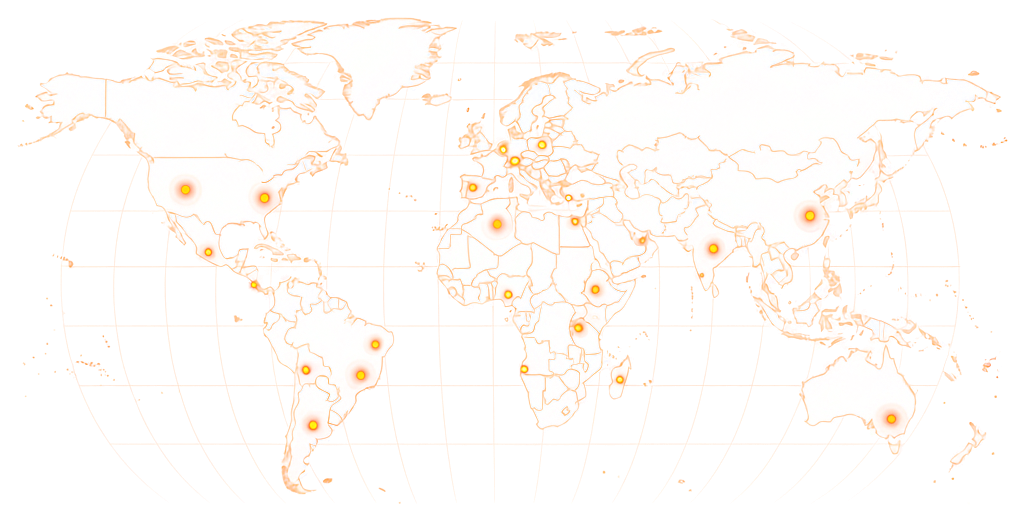
Available in 190+ countries — choose your audience when you create your task.
Discord message tasks start at $0.05 per message. Tasks that require messages from accounts with a minimum age or activity level, messages in multiple channels, or workers from a specific country reward more to attract qualifying workers.
$0.05
per completed task
*These are examples, not fixed pricing tiers.
Estimate your total budget based on the number of messages and reward per task.
Example: 5,000 tasks × $0.08 reward = $400 estimated total

Workers must be a member of your Discord server to send messages in its channels. If workers are not already members, include a join step in your task instructions — or run a separate Discord members task first. See the FAQ for details.
Share your server invite link, specify the channel, and post your task — real workers join your server and send messages from their own accounts, with screenshot proof before you pay.
01
Paste your Discord server invite link, name the channel workers should message, set the reward per message, and write your instructions — whether you want workers to send exact provided text or write their own message following your brief.
02
Real people find your task, join your server using your invite link, navigate to the specified channel, and send the message. No bots, no scripts, no automation — each worker sends the message manually from their own Discord account.
03
Workers submit a screenshot showing the message in your Discord channel with their Discord username visible. Review each screenshot — approve messages that meet your requirements, reject anything that doesn't.
04
Approved messages are already in your Discord channel. Your channel shows real activity from real accounts. Track progress from your RapidWorkers dashboard.
Discord channel activity is what members see when they join — empty channels undermine community credibility before anyone has sent their first message. These are the situations where seeding real activity changes what happens next.


Discord message bots and automation tools operate by scripting interactions with Discord's API. Discord's Trust & Safety systems detect abnormal API usage patterns — accounts sending messages too fast, across too many servers simultaneously, or without genuine session activity. These accounts get flagged and messages removed.
RapidWorkers workers are real people sending messages from their own active Discord accounts — profiles with genuine activity histories that have been using Discord organically for months or years. Their messages look legitimate because they are: a real person, logged in normally, typing a message in a channel.
You can verify every submission. Workers submit screenshots showing the message in your channel with their Discord username visible. Each approved message is from a real person you can see in your member list.
Every submission goes through you first. Workers send a message in your Discord channel and submit screenshot proof — you review each one and decide what counts. If the screenshot doesn't confirm the message was sent from the right account in the right channel, reject it and pay nothing.

You review every submission
Approve or reject based on your own requirements
Pay only for approved work
Rejected submissions cost you nothing
Dispute resolution available
For edge cases where a worker disagrees with a rejection
Dashboard / Send Discord Message
Pay Rate
$0.07
Time to Complete
3 min
Availability
92 / 200
Status
Active
Join the Discord server using the invite link. Navigate to #introductions. Post the message: "Hey everyone — just joined, excited to be part of this community!" Screenshot showing the message in the channel with your Discord username visible at the bottom-left.
Screenshot confirming Discord message sent
Screenshot of the message in the #introductions channel with your Discord username visible.
This is how workers see your task on RapidWorkers
Click the invite link in this task to join the Discord server. Join using your own Discord account — do not use an alt account or a bot.
After joining, navigate to the #introductions channel. Post this exact message from your account: "Hey everyone — just joined, excited to be part of this community!"
Take a screenshot showing the message in the channel and your Discord username visible in the message or at the bottom-left of the Discord app.
Step 1: Click the invite link and join the Discord server.
Step 2: Navigate to the #introductions channel.
Step 3: Send the exact message provided in the task instructions.
Step 4: Screenshot showing the message in the channel with your Discord username visible.
Step 5: Submit the screenshot for review.
Yes. Discord requires you to be a member of a server before you can send messages in its channels. If your workers are not already members, include a join step in your task instructions — ask workers to click the invite link, join the server, then navigate to the specified channel and send the message. Alternatively, run a separate Discord join task first to build your member count, then post a message task for existing members.
Yes. In your task instructions, name the specific channel — for example, 'Navigate to the #general channel' or 'Post in the #feedback channel.' Workers will follow these instructions. You can also require that the channel name be visible in the screenshot proof so you can verify the message was sent in the right place.
Both options are available. In Mode A (provided text), you write the exact message in your task instructions and workers send it verbatim from their own accounts — useful when you need a specific announcement, question, or talking point delivered by multiple real profiles. In Mode B (workers write), you describe the channel context and topic, and each worker writes an original message — useful when you want the channel to look like genuine organic activity rather than repeated identical text.
Discord's Terms of Service prohibit bots, selfbots, and automation tools. RapidWorkers is none of these: real people send messages from their own accounts, logged in through the normal Discord interface. A human typing a message in a channel is no different from any organic Discord activity. The risk with typical Discord automation services is that they use scripts that trigger Discord's detection systems. RapidWorkers workers act as regular users — there is no automated API usage involved.
Discord message tasks start at $0.05 per message.
For example:
100 messages — $5–$10 500 messages — $25–$50 1,000 messages — $50–$100
Tasks requiring messages from specific countries, accounts with minimum activity levels, or messages across multiple channels typically reward slightly more. You pay per approved submission — no packages, no upfront commitments.
Workers submit a screenshot showing the message sent in your Discord channel with their Discord username visible — either in the message itself or in the bottom-left corner of the Discord app. You review every screenshot before approving. If the message isn't in the right channel, the text doesn't match your instructions, or the account doesn't meet your requirements, reject the submission.
Workers start accepting tasks within minutes of posting. Most Discord message campaigns at standard rewards complete within 4–24 hours. A higher reward per task attracts workers faster. If you need gradual delivery over several days to look more organic, you can set a daily completion cap in your task settings.
Yes. Add a country requirement to your task instructions — for example, 'Worker must be based in the United States' or 'US or UK only.' Workers outside your target region will skip the task. Country-targeted tasks typically reward slightly more since they narrow the eligible worker pool.
Discord bots and automation tools send messages by scripting interactions with Discord's API — they can send hundreds of messages per hour but are detectable by Discord's systems and violate ToS. Messages from automation can be removed and accounts purged. RapidWorkers workers are real people who send messages manually from their own active Discord accounts. Their messages look like genuine activity because they are — and they don't carry the deletion risk that automated messages do.
Yes — and this is the most common setup. Run a Discord join task first to build your server membership, then post a separate Discord message task asking workers to send messages in specific channels. You can also combine both steps in a single task: join the server and send a message in one submission.
Messages sent by real Discord accounts stay in your channel permanently, unless the account is banned by Discord or the member leaves the server (at which point their messages typically become attributed to 'Deleted User'). Workers who complete tasks are real people — their accounts have genuine histories and are not at risk of the automated purges that remove bot accounts. RapidWorkers makes no guarantee that any individual worker will remain a server member after completing their task.
Post your Discord message task, share your server invite link, specify the channel and your instructions, and let real workers send genuine messages from their own accounts — you approve every submission before paying.
Explore related tasks from real people — same marketplace, different goals.