$0.05
per completed task


Buy Facebook group members from $0.05. Real workers join from their own accounts — each a real member who sees your posts. Groups reach far more members per post than Pages do.
From $0.05
Per Member
40–50%
Group Reach / Post
500+
New Workers Daily
190+
Countries
A Page post reaches only a small fraction of followers — most never see it. A Group post reaches a large share of members, because a group is a space people actually open and check in on. That is the structural difference.
Targeting members from a specific country ensures your group's audience matches the market you're building for. Specify a region in your task requirements — workers outside that area will skip it.
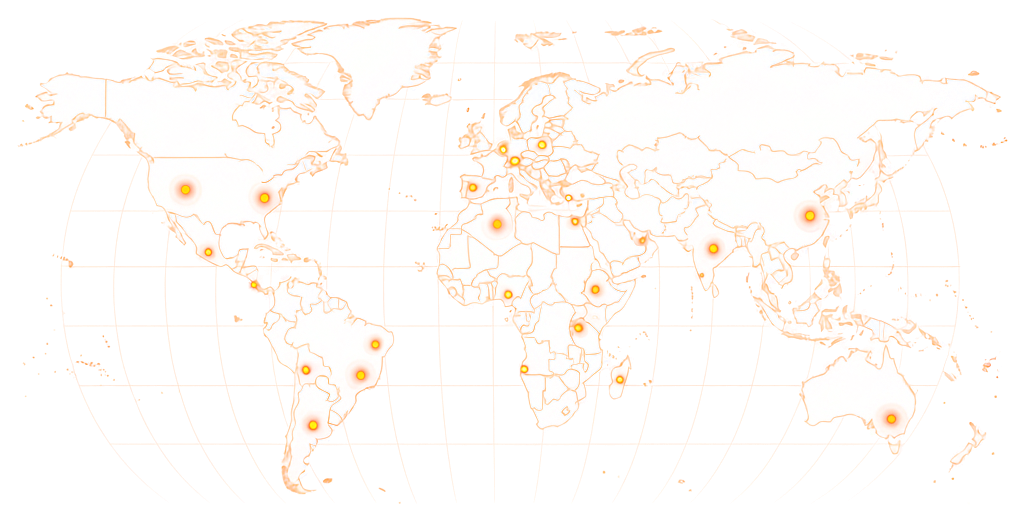
Available in 190+ countries — choose your audience when you create your task.
Group member tasks start at $0.05 for public groups. Private groups typically reward $0.07–$0.10 — joining requires a request and admin approval, which adds friction for workers. Country-targeted membership adds $0.02–0.03 per member.
$0.05
per completed task
*These are examples, not fixed pricing tiers.
Estimate your budget based on the number of members needed and your group type.
Example: 5,000 tasks × $0.08 reward = $400 estimated total

For private groups, approve join requests promptly — workers may abandon the task if their request sits unapproved for more than 24 hours. Keep your approval queue clear while the campaign runs.
Share your group link, set your requirements, and workers join from their own accounts. Public groups fill automatically; private groups require your approval of each join request.
01
Paste the URL of your Facebook group. Specify whether it's public or private, any country requirements, and your reward per member. For private groups, note that you'll be approving requests manually.
02
Workers open your group link from their own Facebook account and click Join. For public groups, they are immediately members. For private groups, a join request appears in your admin panel for you to approve.
03
After joining, workers screenshot their membership — their profile name visible inside your group. They submit this screenshot before any payment is processed.
04
Check the screenshot against your group's member list. Approve what matches, reject what doesn't. Payment only goes through for submissions you approve.
Member count is the first thing someone sees before deciding to join. These are the cases where hitting critical mass changes the decision.
A group lives on whether members actually participate — posting, commenting, reacting. Bot members never do any of it, so a group padded with them looks dead the moment someone scrolls the feed. A group with 500 genuine members feels more alive than one with 5,000 bots.
When you post a task on RapidWorkers, real people join your group. They're Facebook users with real activity histories — not accounts created to inflate numbers. Their presence contributes to the group's activity baseline rather than dragging it down.
For public groups, no action is needed from you — workers join directly. For private groups, join requests appear in your admin queue. Approve them as you would any request; the workers are real people, and their accounts will pass any manual review you run.
Workers submit a screenshot showing their profile in your group — visible as a member — before any payment is processed. If the screenshot shows a different group, a pending request that was never approved, or no membership at all, reject it. You owe nothing for that submission.
Screenshot of group membership
Worker's profile name visible inside your group before approval
Reject unverified submissions
Pending requests or wrong groups — free to reject
Dispute resolution available
For cases where a worker disagrees with a rejection
Pay Rate
$0.07
Time
2 min
Availability
66 / 150
Status
Active
Join the Facebook group linked in this task. Screenshot showing you are a member — your profile name must be visible inside the group.
Screenshot of the Facebook group showing your profile as a member, with your name clearly visible.
This is how workers see your task on RapidWorkers
Open the Facebook group linked in this task.
Click 'Join Group'. If the group requires a join request, submit it and wait for approval. Once accepted, take a screenshot showing you are a member — your profile name must be visible inside the group.
Important: Join from your own active Facebook account. Do not use VPN or automation tools.
Step 1: Join the group using the link provided.
Step 2: Once a member, screenshot the group showing your profile name in the member view.
Step 3: Submit the screenshot for review.
Post your task, and real workers join your group from their own accounts — each one a real member who can see and engage with everything you publish.


