Increase YouTube Watch TimeGlobal Marketplace

Buy YouTube Watch Hours From Real Viewers

Real people watch your video for the full duration you specify and submit timestamp proof before you pay. Starting at $0.05 per watch task — priced by duration, not by click.

500+

New Workers Daily

10,000+

Tasks Completed Each Month

From $0.05

Per Watch Task

24/7

Global Marketplace

Pricing

YouTube Watch Time Pricing

Watch time tasks are priced by duration — the longer workers watch, the higher the reward per task. A 10-minute video watch costs more than a like because it takes more of a worker's time.

Minimum Reward

$0.05

per watch task (short videos)

Example Task Rewards

TaskExample Reward
Watch a 3–5 min video (full)$0.05–0.06
Watch an 8–10 min video (full)$0.08–0.09
Watch a 12–15 min video (80%+)$0.10–0.12
Watch a 20+ min video (80%+)$0.12–0.14
Watch + leave a comment$0.14+

*These are examples, not fixed pricing tiers.

Calculate Your Cost

Estimate your campaign cost based on the number of watch sessions and the reward per completed task.

Example: 1,000 tasks × $0.09 reward = $90 estimated total

YouTube Watch Time Task

Calculator
Tasks1,000

Reward Per Task$0.09

Estimated Total1,000 × $0.09

$90
Create Task

A higher reward can make your task more attractive to workers. Completion speed depends on worker availability, task requirements and the reward you offer.

How It Works

How to Buy YouTube Watch Hours

Post your video, specify the minimum watch duration, and real workers watch it — submitting timestamp proof before you approve any payment.

01

Create a Watch Task

Add your video URL, set the minimum watch duration workers must reach, define the proof format (timestamp screenshot), and set your reward.

02

Workers Watch Your Video

Real people find your task, open your video on their own device, and watch it for the full duration you specified. They cannot skip ahead — the proof screenshot shows the actual timestamp reached.

03

Proof Gets Submitted

Workers submit a screenshot of the video player at the required timestamp, or a YouTube watch history screenshot. You verify it matches your instructions.

04

Approve Valid Sessions

Approve submissions that meet your criteria. Reject any that show the wrong timestamp, wrong video, or no proof. You pay only for approved watch sessions.

YouTube Partner Program

The 4,000 Hours That Unlock Monetization

Most people buying YouTube watch time are working toward one specific number. Here is what that number actually means, how YouTube counts it, and why the source of those hours matters during the review process.

4,000

Public watch hours required

YouTube requires 4,000 watch hours on your public videos in the past 12 months before your channel can apply for the Partner Program and turn on monetization.

12 mo

Rolling window — hours decay

Only the last 12 months count. Watch hours from older videos or older time periods drop off your total as the window moves. A channel that was active two years ago but stalled may need to rebuild its count.

Manual

YouTube reviews every application

YPP applications are reviewed by YouTube's team — not just algorithmically. Reviewers check channel content, watch session patterns, and traffic sources before approving or rejecting monetization.

How YouTube Spots Fake Watch Time During the YPP Review

Bot-generated sessionsRapidWorkers sessions

Identical timestamps in every session — no variation

Variable — workers pause, slow down, stop at different points

Flat line — script ends playback at the same point every run

Natural drop-off curve matching YouTube's expectations for human viewers

Unusual geographic clustering or device fingerprints

Distributed across real devices and locations in your target region

High risk of failing YPP review or being removed post-approval

Lower risk — organic-looking traffic from verified accounts

Watch Time by Region

Get Watch Hours From 190+ Countries

Specify the countries you want your watch time to come from — or open the task to the global worker pool. Geographic targeting matters if your channel's audience is concentrated in a specific region or if you're building watch time that looks consistent with your existing viewer base.
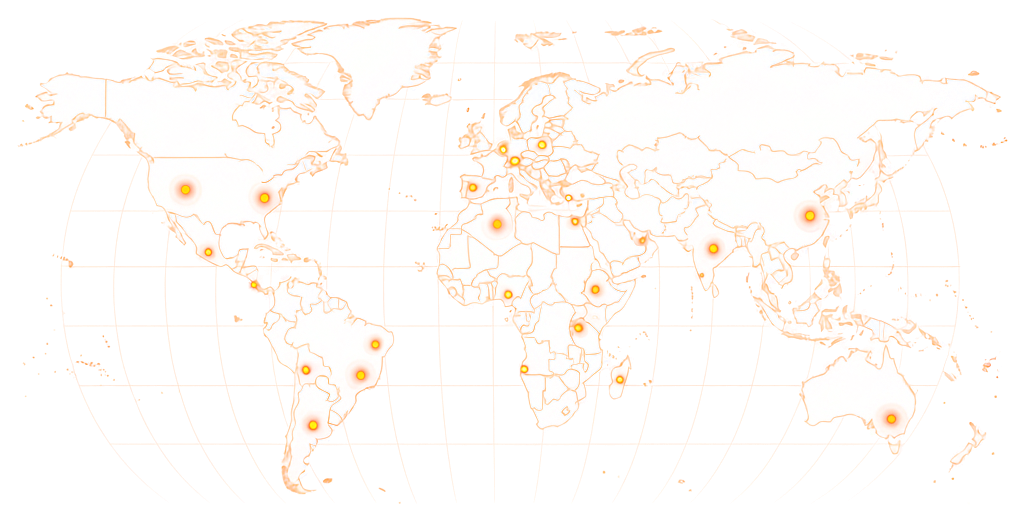
World map showing RapidWorkers coverage across 190+ countries

Available in 190+ countries — choose your audience when you create your task.

Real Viewers. Real Retention Curves.

Not Bot Sessions With Zero Engagement

Bot-based watch time services generate sessions that look identical in YouTube's analytics: every session ends at exactly the same timestamp, with no pauses, no rewinds, no variation. Retention curves are flat lines. YouTube's internal review process — both algorithmic and manual — recognizes these patterns.

RapidWorkers workers are real people watching on their own devices. They pause, they may rewatch a section, they stop at different points even within the same task batch. The retention data they generate looks like what it is: individual humans with individual behavior, not a script running the same playback 1,000 times in sequence.

You can add specific requirements: minimum watch duration, proof of reaching a certain timestamp, a constraint against skipping. Workers who cannot meet your requirements will skip the task rather than submit a proof they cannot provide.

AspectRapidWorkersTypical Service
Session sourceReal person, real deviceBot or script
Retention patternVariable — human behaviorFlat — identical every session
Proof availableTimestamp screenshotNone
YPP audit riskLower — organic-looking trafficHigh — detectable patterns
Payment timingAfter your approvalUpfront, no refunds
Your Guarantee: You Only Pay for What You Approve

No Approved Timestamp, No Payment

Every watch time submission requires proof before you pay. Workers submit a screenshot of the video at the required timestamp — you compare it against your instructions and approve only what qualifies. A submission with a timestamp of 2:30 when you required 8 minutes gets rejected. You're never charged for work that didn't meet your standard.

  • Timestamp proof required

    Workers show the video player at the required watch point before earning payment

  • Your minimum duration is the standard

    Reject any submission that doesn't reach the duration you specified

  • Dispute resolution available

    For edge cases where a worker disagrees with a rejection

Example Task

What Does a YouTube Watch Time Task Look Like?

rapidworkers.io/dashboard/job/youtube-watch-time-example

Dashboard / Watch YouTube Video

Watch YouTube Video — Cooking Channel: Pasta Guide

Pay Rate

$0.09

Time to Complete

10 min

Availability

203 / 800

Status

Active

Job Description

Watch the linked YouTube video for a minimum of 8 minutes from the beginning. Do not skip ahead. Watch at 1× speed on a device where the video renders visibly on screen.

Submission Instructions

Step 1: Pause at the 8-minute mark or later.

Step 2: Screenshot the player showing the timestamp and video title.

Step 3: Submit — timestamp and video title must both be visible.

Complete Job

This is how workers see your task on RapidWorkers

Job Description

Open the YouTube video linked in this task. Watch the video for a minimum of 8 minutes from the beginning. Do not skip ahead using the progress bar.

The video must be played at normal speed (1×). Do not use background tab playback or any tool that plays video without rendering it on screen.

Your YouTube account must have prior watch history. Brand new accounts with no activity will be rejected.


Submission Instructions

Step 1: Once you have reached the 8-minute mark, pause the video.

Step 2: Take a screenshot of the video player showing the current timestamp (8:00 or later) and the video title in the browser tab or player. Both must be visible in the same screenshot.

Step 3: Submit the screenshot. The timestamp, video title, and video URL or player must all be visible.

Create Your Task
Got Questions?

Frequently Asked Questions

A view is counted when someone opens your video and watches for at least 30 seconds. Watch time is the total number of minutes (or hours) that viewers have spent watching your content.

YouTube uses watch time — not view count — as the primary signal for recommendations, search ranking, and monetization eligibility. A video with 10,000 views averaging 30 seconds each has far less weight in YouTube's systems than a video with 1,000 views averaging 8 minutes each.

When buying watch time tasks on RapidWorkers, workers are completing the full watch duration you specify, not just opening the video. The goal is minutes spent watching, not views added to a counter.

You create a task on RapidWorkers and provide your YouTube video URL, the minimum watch duration workers must reach, any proof requirements, and the reward per completed task.

Workers find your task, open your video, watch it for the minimum duration you specified, and submit a screenshot or timestamp as proof of completion. You review each submission and approve it if it meets your instructions.

The flow: Create task → Workers watch your video → Workers submit proof → You review → You approve → Payment released.

You only pay for approved submissions. Every minute of watch time counted toward your channel came from a real person who chose to watch it.

4,000 watch hours = 240,000 minutes.

The number of tasks you need depends on your video length and the minimum watch duration you specify:

Video length 5 min: 240,000 ÷ 5 = 48,000 tasks Video length 10 min: 240,000 ÷ 10 = 24,000 tasks Video length 15 min: 240,000 ÷ 15 = 16,000 tasks

In practice, you don't need to generate all 4,000 hours from paid tasks. Your existing organic views already contribute. The calculation above is the theoretical maximum if you're starting from zero.

Also keep in mind that YouTube's YPP threshold counts only the past 12 months. Watch hours older than 12 months drop off.

The reward per task depends on how long you require workers to watch. Unlike a like or a share, a watch time task takes real time — workers are spending minutes on your video, not seconds.

Typical ranges:

Watch a 3–5 minute video: $0.05–$0.06 Watch an 8–10 minute video: $0.08–$0.09 Watch a 15 minute video: $0.10–$0.12 Watch a 20+ minute video: $0.12–$0.14+

A higher reward attracts more workers and fills your campaign faster. You only pay for submissions you approve.

You control the minimum duration in your task instructions. If you require workers to watch at least 8 minutes of a 10-minute video, write that clearly. Workers must submit proof — typically a screenshot of the video at the required timestamp or a screenshot of YouTube's watch history showing the video — before you approve. Workers who open the video and close it immediately can be rejected because they can't provide proof of reaching the required timestamp.

Yes. Write the minimum watch duration directly into your task instructions: 'Watch for at least 8 minutes', 'Reach the 12:00 timestamp', or 'Watch 80% of the video'. Workers who submit proof that doesn't demonstrate the required duration — for example, a screenshot taken at 2:30 when you required 8 minutes — can be rejected. The more specific your instructions, the clearer the standard for rejection.

YouTube counts watch time from all real viewers who watch your public videos. RapidWorkers tasks are completed by real people using their own accounts on real devices — the watch sessions appear in your analytics as regular viewer traffic. However, YouTube's monetization review is a manual process, and we cannot guarantee how YouTube will categorize any specific traffic source. What we can guarantee is that the views come from real human beings, not bots or scripts.

Almost certainly not. YouTube's YPP review includes an analysis of watch session patterns. Legitimate viewers have variable retention — they skip intros, rewatch sections, pause, and stop at different points. Bot-generated watch time typically shows flat retention curves (every session ends at exactly the same timestamp) or 0% retention (the video was never actually loaded). These patterns are detectable and are a common reason channels fail the YPP review or get removed after approval.

You can create separate tasks for different videos. Each task has its own URL, instructions, and reward. If you want to distribute watch time across your channel rather than concentrating it on one video, create multiple tasks — one per video. This also avoids an unnatural spike pattern where a single video receives thousands of long watch sessions in a short period.

Require a specific form of proof in your task instructions. The most reliable is a screenshot of the video player at the required timestamp, with the timestamp and the video title visible in the same frame. You can also require a screenshot of YouTube's watch history page showing the video as recently watched. Workers who submit screenshots that don't show the required timestamp, show a different video, or appear to be edited can be rejected without payment.

Ready to Build Real Watch Time?

Create your watch task, set the minimum duration, define your proof requirements, and let real viewers generate the watch hours your channel needs.

  • No subscription
  • Cancel anytime
  • 24/7 availability
  • Dispute resolution
