Get Google Play ReviewsGlobal Marketplace

Buy Google Play Reviews from Real Android Users

Buy Google Play reviews from $0.05. Real Android users download your app, use it, and write from their own Google accounts in any language. Established accounts up to $2.00.

From $0.05

Per Review Task

Up to $2.00

Detailed Reviews

Real Android

Devices Required

You Approve

Every Review

Pricing

Google Play Reviews Pricing

Google Play review tasks start at $0.05 — cheaper than iOS because Android devices are everywhere and the worker pool is far larger. Workers still need a real device and must use the app before reviewing. Depth and account history raise the reward.

Minimum Reward

$0.05

per completed task

Example Task Rewards

TaskExample Reward
Short review (1–3 sentences) from an active Google account with prior app reviews$0.05–$0.15
Detailed review (80+ words) after 10+ minute app usage session$0.15–$0.50
Review from aged Google account (12+ months, 10+ prior app reviews)$0.40–$1.00
Detailed review in a specific language from an account with extensive Play Store history$1.00–$2.00

*These are examples, not fixed pricing tiers.

Calculate Your Cost

Estimate your budget by review count, language, and account quality.

Example: 5,000 tasks × $0.08 reward = $400 estimated total

Google Play Review Task

Calculator
Tasks5,000

Reward Per Task$0.08

Estimated Total5,000 × $0.08

$400
Create Task

Space approvals across several weeks — 5 to 10 reviews per week suits most apps. A listing that takes 40 reviews in 48 hours after months of quiet is an obvious signal to Google. Gradual growth looks like an app that gained real users.

How It Works

How to Buy Google Play Reviews

Share your Google Play listing URL and a brief, set your language and account requirements, and real Android users download, use, and review your app from their own Google accounts.

01

Write Your Brief

Paste your listing URL, say what the app does and what to highlight, then set the star rating, minimum usage time, and account requirements.

02

Android Users Download and Use Your App

Real Android users with prior Play Store review history install your app, use it for the time you set, then write in their own words.

03

Review the Content Before Paying

Every submission comes with a screenshot of the live review and the full text. Reject anything off-brief or from an account below your bar.

04

Your Play Store Rating and Ranking Improve

Approved reviews raise your star rating and review count, which feed Play Store keyword ranking and lower your cost per install from paid channels.

Use Cases

When Play Store Reviews Decide Downloads

Android holds roughly 70% of the global smartphone market, and Play Store reviews are visible in every country at once. These are the situations where rating and review count decide the download curve.

Reaching Android Users in Emerging Markets

Problem
Android dominates India, Indonesia, and Brazil at close to 5:1 over iOS — a Play Store listing at 3.6 stars from 8 reviews is invisible to that audience.
With RapidWorkers
Workers in those markets write in the local language from their own Android devices, so a listing at 4.6 stars from 40 reviews reads as adopted, not abandoned.

Multilingual Reviews for an International Launch

Problem
An app localised for Japan, Korea, or Brazil but reviewed only in English looks unadopted in those markets — users check whether anyone in their language has tried it.
With RapidWorkers
Workers write in Spanish, Portuguese, Hindi, Arabic, Japanese, or Korean from devices set to that locale.

Android Games in a Crowded Category

Problem
In a Google Play sub-niche like match-3 or idle games, the gap between page one and page three is a few hundred reviews and half a star.
With RapidWorkers
Workers play through the first levels before writing, so the review names a real mechanic — that reads as credible to players comparing listings.

Recovering a Rating After Bad Update

Problem
One bad release can take an app from 4.5 to 3.1 stars in days, and Google Play shows that overall rating at the top of the listing long after the bug is fixed.
With RapidWorkers
Workers install the fixed build and review it as it works now, so recent positive reviews dilute the crash-period ratings and download velocity recovers.

Freemium Apps Converting Free Users

Problem
Between two free meditation apps with the same features, users want to know how much sits behind the paywall and whether the free tier is usable — generic 5-star reviews answer neither.
With RapidWorkers
Brief workers to describe the free tier honestly and say what the upgrade adds — those are the pre-download questions that decide whether someone installs.

Supporting a Google App Campaign

Problem
Google App Campaigns bid on expected install conversion — at 3.8 stars from 20 reviews the algorithm bids less, wins fewer placements, and your cost per install rises.
With RapidWorkers
Build the rating before the campaign runs — a listing that converts well signals performance back to the algorithm, which buys more impression share.

Google Play Removes Reviews From Empty Accounts. Real Android Users Stay.

What Separates a Play Store Review That Survives

RapidWorkers workers use the Play Store on their own phones with review history across many apps. They install your app, use it for the time you set, and write from that session — the engagement signal Google Play expects from a real user.

AspectRapidWorkersTypical Google Play Review Service
Device requirementReal Android phones and tablets, no emulators or spoofed signaturesBulk Google accounts driven through emulators or device farms
Usage before reviewWorkers use the app for the time you specifyInstall and immediate review, with no session at all
Account historyGoogle accounts with Play Store review history built over yearsFreshly created accounts, the first ones caught in fraud sweeps
Global visibilityReviews show worldwide; you target language and region directlyUnknown account origins that get filtered or flagged as farms
Price per reviewFrom $0.05 per task, with no minimum purchase$20–100 per package, with a required minimum size
Your Guarantee: You Read the Review Before It Counts

You Verify the Download, the Content, and the Account Before Paying

Workers download your app to their own Android device, use it for the time you specify, write a review from their own Google account, and submit a screenshot of it live plus the full text.

  • Confirm the review is live

    The screenshot shows it published on your Play Store listing

  • Check the reviewer's Google account

    Verify prior review count and account age before releasing payment

  • Reject off-brief reviews at no cost

    Wrong rating or a thin account costs you nothing

190+ Countries

Buy Google Play Reviews in Any Country

Workers from 190+ countries write reviews from their own Android devices in the local language — Play Store reviews from the target markets you choose.
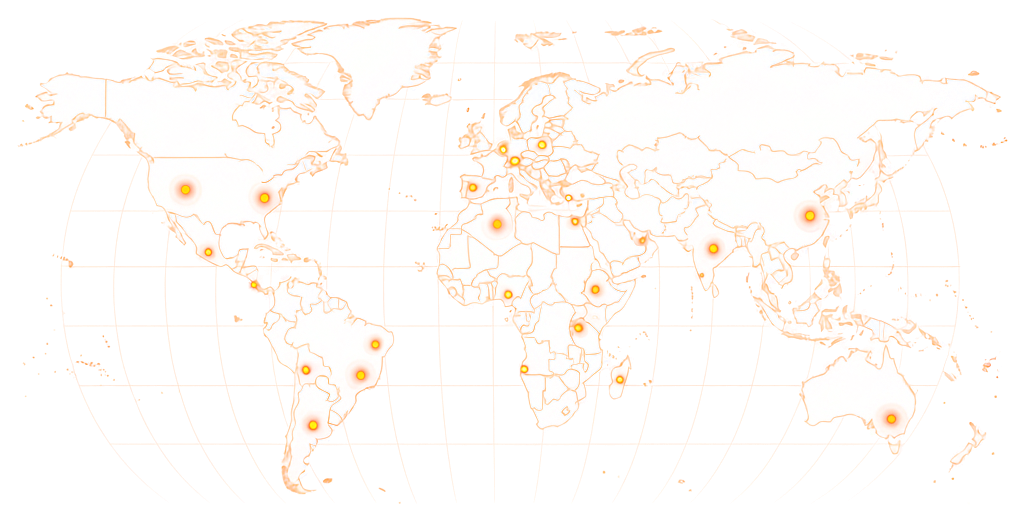
World map showing RapidWorkers coverage across 190+ countries

Available in 190+ countries — choose your audience when you create your task.

Example Task

What Does a Google Play Review Task Look Like?

rapidworkers.io/dashboard/job/play-store-review-budget-app

Dashboard / Write Google Play Review

Write Google Play Review — Budget Tracker

Pay Rate

$0.35

Time to Complete

20 min

Availability

7 / 25

Status

Active

Job Description

Download the budget tracker from Google Play on your Android device. Use it for 10+ minutes, then write a specific 80+ word, 5-star review from a Google account with 3+ prior Play Store reviews.

Reference

Screenshot of the review posted on the Google Play listing

Submission Instructions

Screenshot of your review live on the Google Play listing with your Google account name visible.

Full review text pasted into the submission form.

Complete Job

This is how workers see your task on RapidWorkers

Job Description

Download the linked app from Google Play on your own Android device. It is a budget tracker — use it for at least 10 minutes: log five to ten expenses across categories and open the monthly summary.

Write a 5-star review naming something specific: how fast entries are to add, the category breakdown, or how it compares to other budget apps. Account needs 3+ prior Play Store reviews. Post from the device you used.


Submission Instructions

Step 1: Download the app from Google Play on your own Android device and use it for at least 10 minutes.

Step 2: Post your 5-star review from your Google account.

Step 3: Screenshot the live review with your account name visible, then paste the full text into the form.

Create Your Task
Got Questions?

Frequently Asked Questions

Yes. You post a task, real Android users install your app on their own device, use it, and write a review from their own Google account. Google Play ties the review to the account that downloaded the app, so a genuine install is unavoidable.

Some are. Google runs fraud detection that looks for installs reviewed within minutes with no usage, accounts with no prior review history, and clusters of similar accounts hitting the same app. Rates vary sharply by category — competitive games and finance apps see far more than niche utilities.

Yes. Unlike the App Store, which confines reviews to each country store, Google Play shows reviews globally and offers translation. A Spanish review is visible to a user in Japan, so reviews in the main languages of your target markets reach the users in each of them.

Yes. Play Store search ranking uses star rating, review count, and review recency. An app that gathers reviews quickly after a launch or update also signals active usage, which is a ranking input on its own. More reviews bring more downloads, which bring more reviews.

It violates Google Developer Program Policies, which prohibit incentivised or purchased reviews. Enforcement is at platform level: Google removes reviews it flags, and can remove apps for sustained manipulation. In most jurisdictions it is not criminal. The real risk is losing Play Store distribution.

Google removes reviews through automated detection and periodic audits, often before they become visible. The targets are accounts that installed and reviewed within minutes, accounts with no Play Store history, and groups of accounts with matching registration patterns. Requiring prior review count and account age is the practical defence.

Three things. Visibility: Play Store reviews show worldwide, App Store reviews only in the country store they were posted from. Devices: Android phones start around $30, so the reviewer pool is far larger than the iPhone pool. Price: Play tasks start at $0.05, App Store tasks at $0.20.

Tasks start at $0.05 for a short review from an active Google account. Detailed reviews after a usage session run $0.15–$0.50. Aged accounts with 12+ months and 10+ prior reviews run $0.40–$1.00, and specific-language reviews from high-history accounts run $1.00–$2.00. There is no minimum order.

Both, for different reasons. Before a full launch, a soft-release baseline gives the listing a rating before ranking signals settle. At launch, 15–30 reviews in the first week can establish an early position. After an update, reviews count toward the current-version rating.

A clear brief produces reviews that read like real users rather than marketing copy. Include:

1. Your Google Play listing URL. 2. What to highlight — key features, the screens that matter, the problem the app solves. 3. The star rating you want. 4. Minimum usage time before reviewing — 10 minutes produces more specific reviews and a session that looks genuine. 5. Account requirements — prior app reviews, account age. 6. Language — the target language, and whether the device locale needs to match.

Ready to Build Your Google Play Rating?

Share your listing URL, set your language and account requirements, and let real Android users download, use, and review your app from their own Google accounts — you read every review before paying.

  • No subscription
  • Cancel anytime
  • 24/7 availability
  • Dispute resolution
