Get Google Maps ReviewsGlobal Marketplace

Buy Google Maps Reviews from Local Verified Accounts

Buy Google Maps reviews from $0.05. Local Guides write genuine reviews with optional photos from their own established accounts. Local Guide accounts up to $2.00. Approve every review before paying.

From $0.05

Per Review Task

Up to $2.00

For Local Guide Accounts

500+

New Workers Daily

You Approve

Every Review

Pricing

Google Maps Reviews Pricing

Google Maps review tasks start at $0.05. The reward scales with the reviewer's Maps history, because fraud detection removes reviews from inactive accounts first. Local Guide reviews carry a visible badge on your listing.

Minimum Reward

$0.05

per completed task

Example Task Rewards

TaskExample Reward
Short review (2–3 sentences, 4–5 stars) from an active account$0.05–$0.15
Detailed review (100+ words) with a photo$0.15–$0.50
Aged account (12+ months, 20+ prior reviews)$0.40–$0.80
Local Guide (Level 4+, 200+ Maps contributions)$0.80–$2.00

*These are examples, not fixed pricing tiers.

Calculate Your Cost

Estimate your budget based on the number of reviews and your per-task reward.

Example: 5,000 tasks × $0.08 reward = $400 estimated total

Google Maps Review Task

Calculator
Tasks5,000

Reward Per Task$0.08

Estimated Total5,000 × $0.08

$400
Create Task

Drip-feed your tasks across several weeks — 3 to 5 approvals per week suits most local listings. A pin that picks up 30 reviews over one weekend after months of inactivity is a clear signal to Google.

How It Works

How to Buy Google Maps Reviews

Share your Google Maps listing URL and a brief. Local Guides and active Maps contributors write genuine reviews — with photos if you ask — from their own accounts, and you approve each one.

01

Write Your Brief

Paste your Maps listing URL and name what to highlight. Set the star rating, the photo requirement, and the Local Guide level you want.

02

Local Guides Research and Write

Maps contributors with real review histories look at your listing and write their own unique review. Accounts below your requirements never see the task.

03

Check the Review, Account, and Photos

Each submission includes the live review screenshot, the full text, and any photos you asked for. Verify the Local Guide badge before approving.

04

Your Pin Becomes More Competitive

Approved reviews and photos land on your Maps pin. Rating, review count, and gallery depth all feed how the listing ranks for nearby searches.

Use Cases

When Google Maps Reviews Directly Affect Revenue

Google Maps is where local decisions get made — the nearby café, the emergency plumber, the hotel for next weekend. Review count, star rating, and photos decide which pins get seen.

Cafés Competing for "Near Me" Searches

Problem
Google Maps ranks on proximity, relevance, and review prominence — a café with 11 reviews at 3.9 stars sits below one with 90 at 4.6 on every nearby search.
With RapidWorkers
Workers lift your review count and rating until the pin ranks for nearby and category searches.

Hotels Recovering a Damaged Maps Rating

Problem
A hotel that slips from 4.2 to 3.6 stars loses direct bookings immediately and the damage spreads because Booking.com and Hotels.com surface the Google rating too.
With RapidWorkers
Workers with established Maps histories add reviews that read like traveller feedback, restoring the star average to a level that matches the property.

Building a Photo-Rich Maps Listing

Problem
Three owner-uploaded shots don't carry the same weight as 40 visitor photos from different days — the gallery decides whether someone clicks through.
With RapidWorkers
Premium-tier workers upload a photo with their review — you brief what to shoot: the exterior, the product, the seating.

Trades Winning the Urgent Call

Problem
Trades rarely get spontaneous reviews — a customer whose boiler was fixed doesn't think to write one — so they accumulate slowly and get outranked by competitors who ask.
With RapidWorkers
Workers build enough reviews to compete for the local pack in your trade and area.

Independent Retail Driving Foot Traffic

Problem
A shop with 8 reviews competes for 'independent bookshop near me' against one with 80, and the reviews also decide whether someone thinks the visit is worth making.
With RapidWorkers
Workers build the review base that makes the listing competitive for category searches.

Opening a Second Location

Problem
A new branch listing starts with no star rating and competes against neighbours with years of Maps reviews from its first day open.
With RapidWorkers
Workers seed enough reviews to show a rating on the pin, briefed on what is specific to this location.

Google Maps Removes Reviews from Inactive Accounts. Local Guides Stay.

Reviews from Active Maps Contributors vs. Profiles With No Maps History

RapidWorkers workers are genuine Local Guides and Maps contributors with photo uploads, map edits, and reviews across other businesses. Require a Local Guide level, prior review count, and account age — then open every profile before approving.

AspectRapidWorkersTypical Google Maps Review Service
Account statusLocal Guide badges, photos, reviews across many businessesNew accounts with no Maps activity at all
Fraud detection survivalAged contributors whose behaviour looks entirely ordinaryThin profiles that match every removal signal
Photos on your listingWorkers upload photos that appear in your galleryText-only reviews, no photos, no badge
Transparency before you payFull text plus the reviewer's Maps profileScreenshots arrive after the payment clears
Price per reviewFrom $0.05 per task, no minimum purchase$15–30 per review, or $50+ packages
Your Guarantee: You Read the Review Before It Counts

You Approve the Review and Verify the Account Before Paying

Workers write a review from your brief, post it from their own Google account, and submit the screenshot, full text, and any photos. You check their Maps history before approving.

  • Read the review and check the photos

    Confirm the star rating and detail match your brief

  • Open the reviewer's Google Maps profile

    Local Guide badge, photo uploads, prior reviews, account age

  • Reject anything from a thin account

    No payment, and the task slot reopens automatically

190+ Countries

Buy Google Maps Reviews From Any Country

Workers from 190+ countries write reviews and upload photos from their own Google Maps accounts — real local contributors in the market where your listing operates.
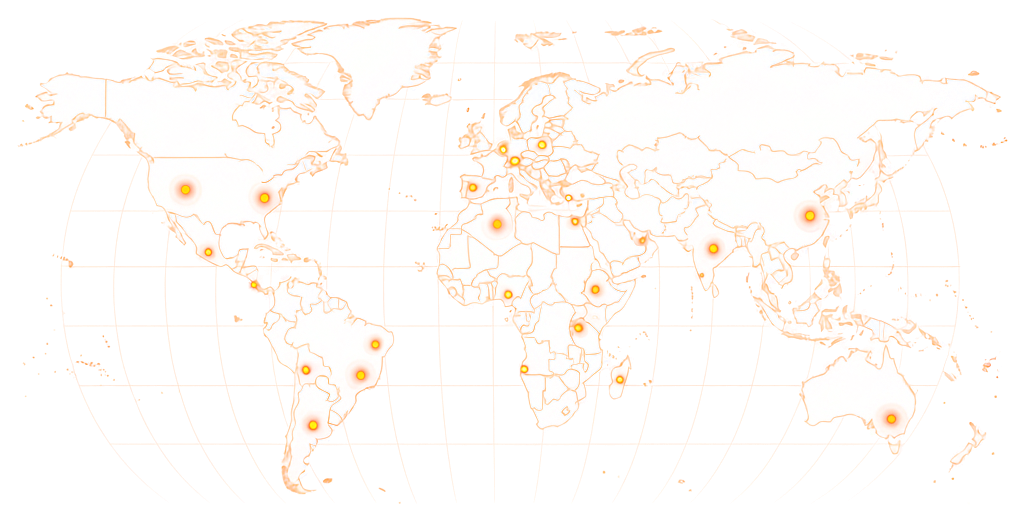
World map showing RapidWorkers coverage across 190+ countries

Available in 190+ countries — choose your audience when you create your task.

Example Task

What Does a Google Maps Review Task Look Like?

rapidworkers.io/dashboard/job/google-maps-review-barber

Dashboard / Write Google Maps Review

Write Google Maps Review — Barber Shop London

Pay Rate

$0.40

Time to Complete

10 min

Availability

5 / 15

Status

Active

Job Description

Write a 60+ word review of the linked barber shop from your own Google account. Focus on the fade, the no-appointment model, and the speed. 5 stars, 5+ prior reviews. Local Guide Level 3+ earns the premium rate.

Reference

Screenshot of the review posted on Google Maps listing

Submission Instructions

Screenshot of your review live on the Maps listing with your account name visible.

Full review text pasted into the submission form.

Complete Job

This is how workers see your task on RapidWorkers

Job Description

Visit the Google Maps listing in this task — a barber shop in central London known for precise fades, no appointment needed, and out the door in under 30 minutes.

Write at least 60 words from your own Google account mentioning something specific. 5 stars required. Account needs 5+ prior reviews. Local Guides Level 3+ upload a photo for the premium rate. One review per worker per listing.


Submission Instructions

Step 1: Read the brief on the linked Maps listing before you write anything.

Step 2: Post the review from your own Google account with a 5-star rating, adding a photo if you are a Local Guide.

Step 3: Screenshot the live review and paste the full text into the submission form.

Create Your Task
Got Questions?

Frequently Asked Questions

Yes. You post a task with your Maps listing URL and a brief. Real Maps users write reviews from the same accounts they use to post photos and map edits, then submit a screenshot plus the full text for your approval.

Maps reviews are the most-consulted source for local decisions in most markets, and unlike testimonials on your own site, you cannot delete the ones you dislike. Google removes what it identifies as inauthentic, but an open platform never catches everything.

In aggregate, yes — 400 reviews at 4.6 stars over three years tells you most visitors had a good time. Individual reviews vary, since anyone can review any business. Local Guide reviews are the most useful, because the programme rewards detail and photos.

Yes, through automated detection and through manual review after a business report. The automated systems target recently created accounts, accounts with no prior Maps activity, and accounts posting across unrelated businesses in a short window. An unexplained drop in your count is usually a sweep.

Businesses cannot delete reviews they disagree with — only Google can, and only for a policy violation. Reviewers can delete their own at any time. Your realistic options are reporting the review and waiting weeks, or replying publicly. A measured reply usually does more.

Yes. Maps is the dominant local discovery tool in most markets, surfacing in both the app and Google Search, and it combines verified business details, contributor photos, and user reviews. Its weakness is uneven review quality, so count and consistency matter more than any single review.

No. Google's Local Guides programme rewards contributors with points, badges, and early feature access — status rather than cash. Workers on RapidWorkers are paid for the task itself. They are the same kind of active Maps users, choosing to earn from contributions they already make.

If reviews that were visible are now gone, a fraud detection sweep took them. It targets accounts created to leave a single review, accounts that reviewed an unusual number of businesses in a short period, and accounts that do not behave like contributors.

They are the same reviews shown in different places. A review posted on a Google Business Profile appears on the Search result and on the Maps pin. It lives in one place and surfaces wherever Google displays the business, so the distinction is where you are looking.

Guides earn points for reviews, photos, answers, and map edits. At Level 4 (200+ points) a badge appears on every review. Google's fraud detection reads account history first, and a Level 4 Guide with 50+ reviews across many businesses reads as genuine. That is why the premium tier ($0.80–$2.00) targets them.

Tasks start at $0.05 for a short review from an active account. Detailed reviews with photos run $0.15–$0.50. Aged accounts with 12+ months and 20+ prior reviews run $0.40–$0.80. Local Guides at Level 4 or above run $0.80–$2.00. Competitors charge $15–30 with 5–10 minimums.

A clear brief gets you reviews that sound specific rather than generic. Include:

1. Your Maps listing URL, so workers can see your category and existing reviews. 2. What to highlight — a menu item, the speed of service, the parking, the accessibility. 3. The star rating. 5-star lifts the average; 4-star reads as more balanced. 4. Account requirements — prior reviews, account age, Local Guide level for the premium tier. 5. Whether you want a photo, since review photos appear on your pin and in the gallery. 6. Language or location requirements — UK, AU, or US English, or a specific city.

Ready to Build Your Google Maps Listing?

Share your Maps listing URL, set your Local Guide and account requirements, and let real Maps contributors write genuine reviews with photos — you approve every one before paying.

  • No subscription
  • Cancel anytime
  • 24/7 availability
  • Dispute resolution
